Jul 28, 2026
Cloud migration is often described as an infrastructure project.
Assess the servers. Build the Azure environment. Replicate the workloads. Schedule a cutover. Validate the applications.
In practice, however, the technical movement of workloads is only one part of a successful migration.
Organizations frequently discover that the most difficult questions arise before the first workload is moved:
What should we migrate first?
Should this application remain on virtual machines or be modernized?
Is the Azure environment ready to receive production workloads?
How much downtime can the business tolerate?
And who will secure, monitor and optimize the environment after migration?
At BPS, we believe successful Azure migrations are determined less by the act of moving virtual machines and more by the decisions made around the migration.
Here are five decisions we believe every organization should address before moving business-critical workloads to Microsoft Azure.
Decision 1: What Should Actually Move to Azure?
The first migration decision should not be:
“How do we migrate all our servers?”
It should be:
“Which workloads should move, and what should happen to each one?”
An infrastructure estate that has accumulated over many years rarely consists entirely of workloads that should be reproduced in Azure.
An assessment might uncover:
- Business-critical production applications
- Underutilized servers
- Development and testing environments
- Legacy operating systems
- Applications scheduled for retirement
- Duplicate services
- Databases that could move to managed services
- Web applications suitable for platform services
- Systems that must temporarily remain on-premises
- Applications with complex dependencies
For that reason, discovery and assessment should precede migration design.
Azure Migrate documentation describes Azure Migrate as a hub for discovering, assessing and migrating on-premises environments. It includes capabilities for server assessment, application inventory, business cases and assessment of workloads such as ASP.NET web applications and SQL environments. [learn.microsoft.com]
The assessment should help build a workload portfolio rather than simply produce an inventory.
For each workload, organizations should consider a transformation path such as:
Retain: Keep the workload in its existing environment for now.
Retire: Decommission applications or infrastructure that no longer provide sufficient business value.
Rehost: Move the workload primarily as it exists today, for example from VMware or Hyper-V to Azure Virtual Machines.
Replatform: Move portions of the workload to managed Azure platforms such as Azure App Service or Azure SQL.
Refactor or modernize: Make more significant architectural changes to take advantage of cloud-native services.
The important lesson is straightforward:
Not everything that can be migrated should be migrated in the same way.
Decision 2: Are We Migrating Into Azure, or Into a Properly Governed Azure Environment?
This distinction is critical.
It is technically possible to create an Azure subscription, configure a virtual network and begin deploying resources very quickly.
That does not mean the environment is ready for large-scale production migration.
Before production workloads arrive, organizations should establish an architecture covering areas such as:
- Microsoft Entra ID and identity
- Management groups
- Subscriptions
- Azure Policy
- Role-based access control
- Network architecture
- Hybrid connectivity
- DNS
- Logging and monitoring
- Security
- Backup and recovery
- Resource organization
- Tagging
- Cost management
- Operational ownership
This is the role of an Azure landing zone.
Microsoft defines a platform landing zone as providing foundational Azure capabilities such as resource organization, governance, identity, networking and management. [learn.microsoft.com]
Enterprise organizations may separate shared platform capabilities from workload environments. Microsoft’s Azure architecture guidance distinguishes between a platform landing zone, which provides centralized services, and workload landing zones, where individual workloads are deployed. [learn.microsoft.com]
Why does this matter?
Imagine migrating 100 servers into Azure first and addressing governance several months later.
The organization may subsequently discover:
- Inconsistent naming and tagging
- Excessive administrative permissions
- Missing security controls
- Unstructured subscriptions
- Inconsistent logging
- Poor network segmentation
- No standardized backup configuration
- Limited cost visibility
- No clear ownership boundaries
Correcting those problems while production applications are already running can be significantly more difficult than designing the foundation correctly at the beginning.
Our recommendation is therefore:
Build the cloud foundation before accelerating the workload migration.
Decision 3: How Will Azure Connect to the Existing Environment?
Most enterprise migrations do not happen overnight.
For weeks or months, and sometimes much longer, applications may operate across two environments:
On-premises + Azure
That makes connectivity one of the most important migration design decisions.
Depending on the requirements, organizations may evaluate options such as:
- Azure VPN Gateway
- Azure ExpressRoute
- Hub-and-spoke networking
- Azure Virtual WAN
- Network Virtual Appliances
- Azure Firewall
- Private endpoints
- Hybrid DNS architectures
Microsoft’s migration guidance for landing zones specifically identifies hybrid connectivity, identity, DNS, routing, firewall configuration, monitoring and Microsoft Defender for Cloud among the areas organizations should prepare before migration. [learn.microsoft.com]
The architecture needs to consider more than bandwidth.
Teams should ask:
Which applications communicate with each other?
Moving an application server to Azure while leaving a latency-sensitive database on-premises may introduce application-performance problems.
Where will DNS resolution happen?
Hybrid DNS is easy to overlook until an Azure workload cannot resolve an on-premises dependency or vice versa.
What traffic requires inspection?
Security policies may require centralized traffic inspection or specific routing through Azure Firewall or another approved security appliance.
Is the migration connection temporary?
The optimal networking design for bulk migration traffic may differ from the long-term production architecture.
What happens if connectivity fails?
If production applications will continue to depend on on-premises services, network-resilience requirements must be understood before migration.
Connectivity should therefore be designed around application dependencies and business requirements, not simply around IP addressing.
Decision 4: What Is the Migration Unit?
One of the easiest mistakes during migration planning is treating a server as the unit of migration.
Applications rarely operate as isolated servers.
A business application might rely on:
Web server → Application server → Database → File share → Active Directory → DNS → External API
Moving only one component without understanding the relationships between them can create unexpected outages or performance problems.
This is why dependency analysis is so important.
Before defining migration waves, organizations should identify:
- Application components
- Database dependencies
- Identity dependencies
- Network connections
- File shares
- Integration services
- External services
- APIs
- Scheduled jobs
- Monitoring systems
- Backup requirements
- Security controls
- Business owners
Migration groups should then be designed around workloads and dependencies rather than arbitrary sets of virtual machines.
Consider this example.
An organization has identified 200 virtual machines for migration.
Instead of moving 20 servers at a time based on infrastructure characteristics, the organization may discover that those servers support 35 business applications.
Those 35 applications become more meaningful planning units.
They can then be grouped into migration waves according to:
- Business criticality
- Technical complexity
- Dependencies
- Downtime tolerance
- Application owners
- Target architecture
- Migration readiness
This changes the migration conversation from:
“Which servers are moving this weekend?”
to:
“Which business service are we moving, and what does that service require to operate successfully?”
That is a much more useful question.
Decision 5: What Happens the Day After Migration?
The migration is complete.
The applications are running.
Users can connect.
The project team celebrates.
Now what?
This is where cloud migration transitions into cloud operations.
Production workloads in Azure still require continuous attention to areas such as:
- Monitoring
- Security
- Vulnerability management
- Backup
- Disaster recovery
- Patching
- Performance
- Capacity
- Availability
- Cost optimization
- Governance
- Compliance
- Incident management
Another important question also appears:
Who owns each responsibility?
For example:
| Area |
Ownership must be defined |
| Azure platform |
Who manages the cloud foundation? |
| Application |
Who owns application health? |
| Security |
Who reviews security recommendations and incidents? |
| Backup |
Who validates backup success and recovery? |
| Monitoring |
Who receives and responds to alerts? |
| Cost |
Who reviews consumption and optimization opportunities? |
| Governance |
Who maintains Azure Policy and standards? |
| DR |
Who conducts recovery tests? |
These responsibilities should ideally be established before migration, not after an incident occurs.
This is also where working with an Azure managed services provider can provide value.
Migration should transition into a structured operating model for the cloud environment.
A Practical Way to Structure Migration Waves
At BPS, we recommend avoiding a “big bang” migration unless there is a compelling technical or business requirement.
A phased approach generally provides a better opportunity to validate designs and incorporate lessons learned.
A typical migration program might look like this:
Phase 1: Discover and Assess
Build the workload inventory.
Identify dependencies, utilization, business criticality, migration readiness and potential modernization opportunities.
Phase 2: Prepare the Azure Foundation
Establish the Azure landing zone.
Configure identity, governance, network connectivity, security, monitoring, backup and operational standards.
Phase 3: Pilot
Select a small number of representative, lower-risk workloads.
The purpose is not merely to prove that workloads can run in Azure.
The pilot should validate:
- Migration procedures
- Connectivity
- Security
- Monitoring
- Backup
- Performance
- Operational handover
- Rollback procedures
Phase 4: Migration Waves
Group applications according to dependencies and business requirements.
Execute the migration using repeatable processes and defined acceptance criteria.
Phase 5: Modernize
Once immediate migration objectives are addressed, evaluate workloads where services such as Azure App Service, Azure SQL, Azure Kubernetes Service or other cloud-native technologies can provide measurable benefits.
Importantly, modernization does not necessarily need to happen at the same time as migration.
Microsoft provides an example where an organization initially uses lift-and-shift to accelerate its datacenter migration, while planning to modernize applications using technologies such as Azure SQL Database and Azure Kubernetes Service over time.
That can be a pragmatic strategy when there is a hard datacenter-exit deadline.
Phase 6: Operate and Optimize
After migration, continuously evaluate:
Security → Resilience → Performance → Cost → Governance
Cloud transformation does not end at cutover.
Migration Success Should Be Measured Beyond “Servers Moved”
Suppose an IT team successfully migrates 150 virtual machines to Azure.
Was the migration successful?
Technically, perhaps.
From a business perspective, additional questions matter:
- Were business applications disrupted?
- Did application performance remain acceptable?
- Were security controls improved?
- Are backups monitored and recoverable?
- Can critical services meet their recovery objectives?
- Has technical debt been reduced?
- Can cloud consumption be understood and controlled?
- Are operations more automated?
- Are teams able to respond to incidents effectively?
- Did the migration create a platform capable of supporting future growth?
A successful cloud migration should improve the organization’s ability to operate, not simply change where infrastructure is hosted.
Where BPS Fits
BPS helps customers and partners approach Azure migration as a controlled transformation rather than simply a movement of infrastructure.
The BPS migration lifecycle is built around four principles:
Assess Before Migrating
Understand applications, infrastructure, dependencies, business requirements and migration readiness.
Establish the Foundation
Prepare an Azure environment designed for security, governance, connectivity and operations.
Migrate in Controlled Waves
Move workloads according to application dependencies and business priorities, with clear testing, validation and rollback planning.
Operate and Optimize Continuously
After migration, manage security, monitoring, business continuity, governance, performance and cloud costs as ongoing disciplines.
This approach connects migration with the broader lifecycle of an Azure managed environment.
Five Questions to Take to Your Next Migration Meeting
If your organization is preparing an Azure migration, start the next planning meeting with these five questions:
1. Which workloads should actually move to Azure, and which should be retained, retired or modernized?
2. Is our Azure landing zone ready to host production workloads securely and at scale?
3. Do we understand the network, identity, database and application dependencies of every workload?
4. How will we group applications into migration waves, test them and recover if a cutover fails?
5. Who will secure, monitor, protect, govern and optimize the workloads after migration?
If the project team cannot confidently answer those questions, moving more workloads faster may increase migration risk rather than reduce it.
Final Thoughts
Azure provides powerful technology for discovering, assessing, migrating and modernizing workloads.
But technology alone does not create a successful migration.
The most successful cloud migrations combine:
Business priorities + Application understanding + Cloud architecture + Security + Governance + Operational readiness
The ultimate objective should not be to say:
“We moved our servers to Azure.”
It should be to say:
“We created a secure, resilient and manageable cloud platform that can support the next stage of our business.”
That is the difference between completing a migration project and building a sustainable cloud operating model.
Jul 14, 2026
Moving applications to the cloud is no longer the end goal.
For many organizations, the real question is not “How do we move this application to Azure?” but rather:
“How do we use the move to Azure as an opportunity to make the application more scalable, secure, resilient, and easier to operate?”
At BPS, we believe successful cloud transformation requires looking beyond infrastructure migration. Moving a virtual machine from an on-premises datacenter to Microsoft Azure can deliver immediate benefits, but the greatest long-term value often comes from modernizing the application and its operating model.
Microsoft’s Cloud Adoption Framework reflects this broader lifecycle. It covers strategy, planning, Azure landing zones, migration, modernization, governance, security and ongoing management rather than treating migration as an isolated technical exercise.
This article explores how organizations can approach application migration and modernization pragmatically, while avoiding the common mistake of assuming that every workload should follow the same modernization path.
Migration and Modernization Are Not the Same Thing
The terms migration and modernization are often used together, but they solve different problems.
Migration focuses primarily on moving an existing workload from one environment to another.
For example:
On-premises virtual machine → Azure Virtual Machine
The application may remain largely unchanged, but the infrastructure hosting it changes.
Modernization, on the other hand, focuses on improving how the workload is built, deployed, scaled, secured and operated.
For example:
Legacy web application → Azure App Service
or:
Traditional application → Containerized application running on Azure Kubernetes Service (AKS)
Microsoft describes modernization as improving how a workload meets its requirements by expanding its capabilities or making it more efficient to maintain and evolve. Importantly, modernization does not always require a complete rewrite. It can range from targeted improvements to significant architectural changes.
That distinction matters.
A successful Azure strategy should not automatically aim to modernize everything, nor should it simply lift and shift everything.
The goal should be to select the appropriate transformation path for each workload.
Start With the Application, Not the Azure Service
One of the biggest mistakes organizations can make during a cloud transformation is starting with a technology decision.
For example:
“We want to move everything to Kubernetes.”
A better starting point is:
“What does this application need to achieve for the business over the next three to five years?”
Before selecting an Azure architecture, organizations should understand:
- Application architecture
- Business criticality
- Current performance
- Availability requirements
- Recovery requirements
- Operating system dependencies
- Database dependencies
- Network dependencies
- Identity and authentication requirements
- Security and compliance requirements
- Application lifecycle
- Current operational effort
- Scalability requirements
- Technical debt
- Cost of maintaining the existing platform
Only after understanding these factors should the target Azure architecture be selected.
Microsoft’s migration guidance similarly recommends assessing migration readiness, determining the migration sequence and selecting an appropriate migration method for each workload rather than applying one migration method across the entire application portfolio.
A Practical Modernization Decision Framework
At BPS, we recommend viewing workloads through several possible transformation paths.
- Rehost
A rehost approach moves the application with minimal changes.
A typical example would be:
VMware / Hyper-V VM → Azure Virtual Machine
This approach may be appropriate when:
- Speed of migration is critical
- The application cannot easily be modified
- There is limited access to the application source code
- The application relies heavily on the operating system
- A datacenter exit deadline must be met
- Modernization will happen in a later phase
Rehosting can be an excellent first step.
The mistake is assuming it should always be the last step.
- Replatform
Replatforming moves the application while replacing some infrastructure components with managed Azure services.
Consider a traditional application consisting of:
Web Server + Application Server + SQL Server
Instead of recreating all three layers as Azure VMs, the organization could potentially move toward:
Azure App Service + Azure SQL Database
This changes the operational model.
Rather than managing operating systems, patching servers and maintaining underlying infrastructure for every layer, IT teams can increasingly focus on application availability, performance, security and business functionality.
Microsoft specifically identifies Azure App Service as a modernization destination for existing web applications and provides migration paths for ASP.NET and Java workloads.
For many organizations, this is where cloud migration begins delivering benefits that go beyond simply changing the location of servers.
- Containerize
Some applications benefit from being packaged as containers and deployed using platforms such as:
Azure Kubernetes Service (AKS)
Containerization can provide advantages for applications that need:
- Portability
- Independent scaling
- Modern CI/CD deployment
- Microservices architectures
- Consistent deployment environments
- Advanced orchestration
But Kubernetes should not be regarded as the automatic destination for every application.
AKS introduces a different operational model and requires appropriate skills, monitoring, governance and application architecture.
Microsoft’s AKS migration guidance recommends assessing applications carefully and testing them before migration. Azure Migrate can also help organizations containerize certain ASP.NET and Java workloads as part of migration to AKS.
For legacy applications specifically, dependency mapping is particularly important. Applications can depend on databases, file shares, SMTP services, Active Directory/LDAP, external APIs, networking configurations, operating-system components or even hardware integrations. These dependencies can significantly affect whether an application is ready for containerization.
The key principle is simple:
Do not adopt containers because they are modern. Adopt them when they solve an application or operational problem.
- Refactor
Some applications require deeper architectural changes.
A monolithic application, for example, could gradually be redesigned to make greater use of cloud-native services such as:
- Azure Functions
- Azure Container Apps
- Azure Kubernetes Service
- Azure SQL Database
- Azure Cosmos DB
- Azure API Management
- Azure Service Bus
- Azure Key Vault
- Managed identities
This can provide substantial benefits, but it also requires greater investment and application-development involvement.
Microsoft’s current modernization guidance identifies application platforms, databases, security, data and application code among the areas organizations can modernize, with potential target services including Azure App Service, Azure Container Apps, AKS and Azure Functions.
Refactoring should therefore have a business justification.
If an application will be retired in 18 months, investing heavily in refactoring may make little sense.
If the same application is a strategic platform expected to support the organization for the next decade, the calculation can be entirely different.
Modernization Should Be Selective, Not Ideological
Imagine an organization running 100 workloads.
A successful Azure modernization program might result in:
- Some applications being retired
- Some remaining temporarily on-premises
- Some applications being rehosted on Azure VMs
- Some being replatformed to Azure App Service
- Some databases moving to Azure SQL
- Some applications being containerized
- A smaller number being substantially refactored
That is not a failure to standardize.
It can actually be the sign of a well-designed cloud strategy.
The objective is not to use the newest Azure service everywhere.
The objective is to match the architecture to the application’s business, technical, security and operational requirements.
The Azure Landing Zone Comes Before the Workload
Another common migration mistake is focusing exclusively on the workload.
Before large-scale migration begins, organizations need the Azure foundation that will support those applications.
This is where the Azure landing zone becomes important.
A well-designed landing zone establishes the foundation for areas such as:
- Identity
- Subscription organization
- Resource organization
- Networking
- Connectivity
- Security
- Governance
- Policies
- Monitoring
- Management
- Business continuity
- Cost management
Microsoft’s Cloud Adoption Framework explicitly places landing-zone readiness before migration and modernization within the broader cloud adoption lifecycle.
Without this foundation, organizations can successfully migrate applications while simultaneously creating a new governance problem in the cloud.
In other words:
Moving technical debt to Azure does not eliminate technical debt.
Security Must Be Designed Into the Migration
Security should not be something added after applications have been migrated.
Modernization creates an opportunity to reassess how applications interact with:
- Users
- Administrators
- Databases
- APIs
- Secrets
- Certificates
- Networks
- Internet-facing endpoints
- Other applications
Azure provides services that can help organizations build security into the target architecture, including:
- Microsoft Defender for Cloud
- Microsoft Entra ID
- Azure Key Vault
- Managed identities
- Azure Policy
- Network security controls
- Azure Web Application Firewall
- Azure Monitor
For example, an application storing database passwords in configuration files could potentially be redesigned to use Azure Key Vault and managed identities.
This is an example of modernization that may not dramatically change what the end user sees, but can significantly improve the application’s security posture and operational model.
Don’t Forget the Database
Application modernization conversations often focus heavily on compute.
However, the database can determine whether the application truly benefits from the cloud.
An application migrated to Azure VMs while its database remains dependent on manually maintained infrastructure may retain significant operational overhead.
Depending on application compatibility and requirements, organizations can evaluate services such as:
- SQL Server on Azure Virtual Machines
- Azure SQL Managed Instance
- Azure SQL Database
- Azure Database for PostgreSQL
- Azure Cosmos DB
The correct choice depends on compatibility, application architecture, availability, scale, feature requirements and the degree of modernization the organization is prepared to undertake.
Microsoft’s modernization framework specifically identifies databases as a major modernization category, including movement from traditional database platforms toward managed Azure database services where appropriate.
Think About Day Two Before Day One
Perhaps the most important question in any migration is:
What happens after the migration team leaves?
A workload is not successful merely because it starts running in Azure.
Someone still needs to consider:
- Monitoring
- Alerting
- Security posture
- Backup
- Disaster recovery
- Patching
- Vulnerability management
- Availability
- Performance
- Capacity
- Governance
- Cost
- Incident response
- Continuous optimization
That is why BPS views migration and modernization as part of a broader managed cloud lifecycle.
A mature cloud operating model should continuously answer questions such as:
- Is the workload healthy?
- Is it secure?
- Is it protected?
- Is it compliant?
- Is it performing as expected?
- Are we spending more than necessary?
- Can we recover it if something goes wrong?
Cloud modernization therefore should not end at migration.
The BPS Approach: Assess, Migrate, Modernize and Operate
BPS helps organizations and our partner ecosystem approach Azure transformation as a lifecycle rather than a one-time infrastructure project.
Our approach is centered around four stages:
Assess
Understand the current environment, application dependencies, infrastructure, business requirements, security requirements, cost drivers and modernization opportunities.
Azure Migrate and Microsoft’s Cloud Adoption Framework can provide important inputs into this assessment and planning process.
Migrate
Build the appropriate Azure foundation and migrate workloads using the migration method best suited to each application.
This can range from rehosting workloads on Azure Virtual Machines to moving applications toward managed Azure platforms.
Modernize
Identify where cloud-native and managed Azure services can reduce operational complexity, strengthen security, improve scalability or accelerate innovation.
The important principle is that modernization should be workload-driven and business-driven, not technology-driven.
Operate and Optimize
Monitor the environment after migration and continuously improve security, resilience, performance, governance and cost.
This converts migration from a project into an ongoing cloud operating model.
Five Questions Every Organization Should Ask Before Migrating an Application
Before moving the next workload to Azure, ask:
- Why are we migrating this application?
Is the objective cost reduction, datacenter exit, security, resilience, scalability, modernization, application innovation or a combination of these?
- What should change during the migration?
Determine whether the workload should be rehosted, replatformed, containerized, refactored or eventually retired.
- What dependencies could prevent a successful migration?
Map databases, networks, identities, APIs, file shares and other application dependencies before migration.
- How will this workload be secured and governed in Azure?
Define security, identity, governance and monitoring requirements before production deployment.
- Who will operate and optimize the workload after migration?
Establish the operational model before the application enters production.
If these five questions cannot be answered, the organization may not yet be ready to migrate that workload.
The Bottom Line
Cloud migration creates an opportunity that extends far beyond moving servers.
Organizations that simply reproduce their existing infrastructure in Azure may receive some cloud benefits, but they can also bring years of technical debt and operational complexity with them.
The better approach is pragmatic.
Modernize where modernization creates measurable value. Rehost where speed or compatibility requires it. Use managed services where they reduce unnecessary operational effort. And design security, governance, resilience and operations into the environment from the beginning.
The result is not simply an application that runs in Azure.
It is an application environment designed to take advantage of Azure.
At BPS, our goal is to help organizations and partners navigate that journey, from assessment and migration through modernization and ongoing cloud operations, while selecting an approach appropriate to each customer’s business and technical requirements.
Jun 17, 2026
Businesses often think about disaster recovery only after something goes wrong.
A ransomware attack. A failed server. A corrupted database. An application outage. A regional disruption.
But business continuity is much broader than responding to a single type of incident.
At BPS, we believe organizations should start with a more fundamental question:
If a critical workload becomes unavailable tomorrow, how quickly can the business recover, and how confident are we that the recovery process will actually work?
Having a backup is not the same as having a business continuity strategy.
A backup gives you a copy of data.
A resilient Business Continuity and Disaster Recovery, or BCDR, strategy defines how the organization protects workloads, limits data loss, restores critical services, validates recovery, and continues operating when disruption occurs.
Microsoft Azure provides powerful capabilities for this through services including Azure Backup and Azure Site Recovery, but technology alone is only part of the solution.
The real objective is to create a repeatable and tested recovery capability.
Business Continuity Starts With Business Impact
One of the most common mistakes in disaster recovery planning is beginning with technology.
For example:
“We need to replicate all our virtual machines.”
The better starting point is:
“Which business services need to be recovered first, and how long can the business operate without them?”
Not all workloads have the same importance.
Consider an organization running:
- ERP
- Customer portal
- Active Directory
- File servers
- SQL databases
- Internal applications
- Development environments
- Reporting systems
If these systems experience an outage simultaneously, recovering them alphabetically or according to VM size would make little sense.
Recovery priorities should reflect business dependency and business impact.
This requires organizations to classify workloads and establish two critical objectives.
Recovery Time Objective (RTO)
How quickly must the service be restored?
If an ERP application has an RTO of four hours, for example, the recovery architecture and operational procedure need to support restoration within that requirement.
Recovery Point Objective (RPO)
How much data can the organization afford to lose?
A workload with an RPO of one hour requires a substantially different protection strategy from an archive system where losing the previous 24 hours of changes might be acceptable.
Microsoft’s current ransomware-resilient backup architecture similarly recommends setting backup schedules according to the required RPO rather than basing them only on retention or compliance requirements. Design a Ransomware-Resilient Backup Architecture by Using Azure Backup
The first step in BCDR should therefore not be configuring a vault.
It should be understanding the business.
Backup and Disaster Recovery Solve Different Problems
Backup and disaster recovery are sometimes treated as interchangeable.
They are not.
Backup
Backup primarily provides recovery points that enable organizations to restore data or workloads following scenarios such as:
- Accidental deletion
- Data corruption
- Ransomware
- Administrative mistakes
- Application problems
- Infrastructure failure
Azure Backup provides centralized protection for supported Azure and hybrid workloads.
Disaster Recovery
Disaster recovery focuses on restoring the availability of a service or workload, potentially in another location.
Azure Site Recovery can replicate supported workloads to a secondary location and orchestrate failover and recovery.
An effective BCDR design may use both.
A customer could, for example, use Azure Site Recovery to achieve rapid recovery of an application while retaining Azure Backup recovery points for longer-term data recovery.
The important question is not:
“Should we use backup or disaster recovery?”
Instead ask:
“What combination of recovery capabilities is required to meet this application’s RPO, RTO and business requirements?”
Ransomware Changed the Backup Conversation
Historically, organizations often thought about backup primarily as protection against infrastructure failure or accidental deletion.
Ransomware changed that assumption.
Attackers may attempt to compromise not only production workloads but also the recovery mechanisms organizations depend on.
Microsoft’s Azure Architecture Center specifically warns that ransomware attacks can target both production and backup systems. Microsoft’s ransomware-resilient architecture therefore emphasizes recovery data that cannot be deleted or modified, can be recovered independently of production, crosses administrative and regional boundaries where appropriate, and can be regularly tested. Design a Ransomware-Resilient Backup Architecture by Using Azure Backup.
This leads to an important principle:
Your recovery platform must be designed under the assumption that the production environment or a privileged administrative identity could become compromised.
That changes how backup security should be approached.
Protect the Recovery Platform, Not Just the Workload
A resilient Azure backup strategy involves several layers of protection.
1. Isolate Backup Data
Azure Backup stores protected data inside Azure backup infrastructure using resources such as Recovery Services vaults and Backup vaults.
Microsoft notes that applications and guests don’t have direct access to the backups stored within these vaults, helping isolate backup data from production workloads. FAQ – Protect backups from Ransomware with Azure Backup
This isolation becomes particularly valuable when the production workload itself is compromised.
2. Use Role-Based Access Control
Not every administrator should have unrestricted control over backups.
Azure Role-Based Access Control, or Azure RBAC, allows organizations to separate responsibilities and grant administrators only the permissions required for their jobs.
Microsoft also recommends using Microsoft Entra Privileged Identity Management to provide time-limited and approval-based activation of privileged access for backup administration. FAQ – Protect backups from Ransomware with Azure Backup.
This follows an important security principle:
Compromising one administrator account should not automatically give an attacker unrestricted control over every layer of the recovery environment.
3. Protect Critical Backup Operations
Particular care should be taken with operations capable of weakening or deleting recovery protection.
Azure Backup supports Multi-user authorization (MUA) using Resource Guard to add authorization requirements around critical backup operations. Microsoft recommends MUA as protection against scenarios involving a rogue or compromised administrator. FAQ – Protect backups from Ransomware with Azure Backup.
This changes the security model from:
One administrator can make a destructive change
to a model where:
Critical operations can require authorization through an additional security boundary.
For highly sensitive workloads, that separation can be extremely important.
Immutability Should Be Part of the Conversation
One of the most important developments in modern backup security is immutability.
An immutable recovery point is protected against operations that would otherwise result in its loss.
Azure Backup supports an Immutable Vault capability designed to block operations that could cause the loss of recovery points.
Once the vault’s immutability setting is locked, Microsoft states that the setting becomes irreversible and uses WORM, or Write Once Read Many, storage where supported to prevent malicious actors from disabling immutability and deleting backups. Concept of Immutable Vault for Azure Backup.
This capability should not simply be enabled without planning, however.
Microsoft explicitly recommends understanding the implications before locking immutability because the lock is irreversible. Organizations should verify that backup policies, retention requirements and compliance needs are correct before applying the lock. Manage Azure Backup Immutable Vault Operations.
That illustrates a broader principle:
Security controls are strongest when they are incorporated into the architecture and operational processes, not enabled as an afterthought.
Soft Delete Provides Another Safety Net
Accidental and malicious deletion deserves separate consideration.
Azure Backup supports soft delete, which gives organizations an opportunity to recover deleted backup data before permanent deletion.
Microsoft’s current secure-by-default guidance states that the standard soft-delete retention period is 14 days, and it can be extended up to 180 days. Secure by Default with Soft Delete for Azure Backup.
This can protect against situations where:
- An administrator accidentally deletes a protected item
- Backup protection is incorrectly stopped
- A malicious actor attempts to delete recovery data
However, soft delete should be regarded as one layer of a defense-in-depth strategy.
A mature design combines appropriate identity controls, RBAC, privileged access management, authorization controls, immutability, monitoring and tested recovery processes.
A Backup That Has Never Been Restored Is Only an Assumption
Perhaps the most important part of a BCDR strategy is also one of the easiest to overlook:
Testing.
A dashboard can indicate that a backup job completed successfully.
That does not necessarily prove that:
- The application can be restored correctly
- Dependencies are understood
- Administrators know the procedure
- Networking will function after recovery
- DNS changes are documented
- Authentication will work
- Recovery meets the required RTO
- The recovered application is usable
- The business knows what to do following failover
This is why BPS recommends moving from backup monitoring toward recovery validation.
Microsoft also emphasizes regular recovery testing as a characteristic of ransomware-resilient architecture. Design a Ransomware-Resilient Backup Architecture by Using Azure Backup.
A technically successful backup should therefore be considered only the beginning.
DR Testing Should Be a Routine Operational Process
Disaster recovery should not be a document stored somewhere and reviewed only during an audit.
Organizations should establish scheduled DR exercises.
A typical exercise might include:
Step 1: Select the workload
Choose a critical application or representative workload.
Step 2: Define the scenario
For example:
Primary application infrastructure is unavailable and cannot be recovered.
Step 3: Execute the recovery procedure
Perform test failover or restore procedures according to the documented recovery plan.
Step 4: Validate the application
Confirm:
- VM/application availability
- Database connectivity
- Authentication
- Network connectivity
- Application functionality
- Data consistency
- Security controls
Step 5: Measure recovery
Compare the actual recovery time and recovery point achieved against the required RTO and RPO.
Step 6: Record gaps
Capture any:
- Manual dependencies
- Configuration errors
- Missing permissions
- Documentation problems
- Unexpected delays
Step 7: Improve the recovery plan
Update the runbook and architecture based on lessons learned.
This creates a continual improvement cycle:
Protect → Monitor → Test → Recover → Review → Improve
That is significantly more mature than simply checking whether last night’s backup completed.
Regional Resilience Requires Business Context
Another common assumption is:
“If the workload is in Azure, it is automatically disaster-proof.”
Cloud platforms provide powerful resilience capabilities, but the customer architecture still matters.
Workload resilience depends on decisions involving:
- Azure regions
- Availability Zones
- Backup redundancy
- Replication
- Application architecture
- Database architecture
- Networking
- Identity dependencies
- DNS
- Recovery procedures
For highly critical workloads, organizations might also require recovery data across different administrative or regional boundaries.
Microsoft’s ransomware-resilient reference architecture, for example, describes a pattern where critical recovery data can use independent immutable copies across different subscriptions and regions. Design a Ransomware-Resilient Backup Architecture by Using Azure Backup.
Not every workload requires that design.
The level of resilience should be determined by business impact, regulatory requirements, data residency requirements, RTO, RPO and acceptable cost.
Business Continuity Is Also About Cost
Maximum resilience has a cost.
Replicating every workload continuously and retaining large numbers of recovery points indefinitely would rarely be commercially sensible.
This makes workload classification extremely important.
Consider a simple tiering model:
| Workload Tier |
Example |
Recovery expectation |
| Tier 1 |
ERP, transactional databases, customer-facing platforms |
Highest availability and aggressive RPO/RTO |
| Tier 2 |
Business applications, important internal services |
Moderate recovery targets |
| Tier 3 |
Development, test and lower-criticality workloads |
Longer recovery targets may be acceptable |
The actual targets should always come from the customer’s business-impact assessment.
This allows investment to be concentrated where downtime or data loss creates the greatest impact.
BCDR is therefore both a technology decision and a business risk decision.
The BPS Approach to Azure Business Continuity
At BPS, we believe effective BCDR should be managed as a lifecycle.
Assess
Identify critical workloads, dependencies, business requirements and current recovery capabilities.
Define meaningful RPO and RTO targets.
Design
Determine the appropriate combination of:
- Azure Backup
- Azure Site Recovery
- Availability Zones
- Regional architecture
- Backup retention
- Immutability
- Identity and access controls
- Monitoring and alerting
Protect
Implement the agreed architecture and establish backup, replication and security policies.
Monitor
Continuously monitor protection status, failed jobs, security conditions and operational exceptions.
Test
Perform planned recovery and DR exercises instead of waiting for a real incident to validate the architecture.
Improve
Review test results, operational incidents, changing business requirements and Azure capabilities, then improve the environment accordingly.
This transforms BCDR from an infrastructure configuration into an ongoing managed resilience practice.
Seven Questions to Ask About Your Current BCDR Strategy
Organizations assessing their Azure resilience should start with these questions:
1. Which applications are truly business-critical?
If everything is classified as critical, nothing is prioritized.
2. What are the agreed RPO and RTO for each critical workload?
Targets should come from business requirements rather than infrastructure assumptions.
3. Can administrators delete our backup recovery points?
Understand the controls around privileged identities, RBAC, Resource Guard, MUA and immutable vaults.
4. What happens if privileged credentials are compromised?
The recovery design should consider attacks against administrators as well as attacks against servers.
5. When did we last restore a production workload from backup?
Successful backup jobs do not replace recovery testing.
6. When did we last perform a DR test?
Test failover and recovery procedures regularly and record the actual recovery results.
7. Does the business know what happens during a disaster?
Technology teams, application owners and business stakeholders should understand recovery priorities and responsibilities.
If these questions cannot be answered confidently, the organization may have backups, but it may not yet have a mature business continuity strategy.
The Bottom Line
Ransomware attracts attention because of the potential severity of an attack.
But resilient organizations prepare for more than ransomware.
They prepare for:
Infrastructure failure.
Human error.
Data corruption.
Application failure.
Security incidents.
Regional disruption.
And scenarios they did not predict.
The objective should therefore not simply be to back up systems.
It should be to create a secure, measurable and regularly tested capability to recover the business.
Microsoft Azure provides powerful building blocks through Azure Backup, Azure Site Recovery, immutable vaults, soft delete, Resource Guard and other security and resilience capabilities.
But the technology delivers its greatest value when it is combined with clear recovery objectives, workload prioritization, operational monitoring and regular testing.
At BPS, we believe business continuity is not an insurance policy that sits unused until disaster strikes. It is an operational capability that should be continuously monitored, tested and improved.
Because when a real incident occurs, the most important question is no longer:
“Do we have a backup?”
It becomes:
“Can we recover the business?”
May 8, 2026
Moving workloads to Microsoft Azure can happen relatively quickly.
Operating Azure well for years is a different challenge.
As organizations expand their cloud footprint, the environment naturally becomes more complex:
- More subscriptions
- More applications
- More resource groups
- More identities
- More networking components
- More security recommendations
- More logs and alerts
- More cloud spending
- More teams deploying resources
A customer that starts with 20 Azure resources might eventually manage hundreds or thousands.
At BPS, we believe this creates an important transition:
Cloud adoption eventually needs to become cloud operations.
The question changes from:
“How do we deploy this workload to Azure?”
to:
“How do we continuously ensure that our Azure environment remains secure, compliant, observable, controlled and cost-effective as it grows?”
The answer requires more than a collection of Azure tools.
It requires a cloud operating model.
Cloud Governance Is Not About Slowing Down Innovation
The word governance sometimes creates the wrong impression.
Teams might interpret governance as additional approvals, restrictions or bureaucracy.
Good cloud governance should achieve the opposite.
It should establish clear guardrails so teams can deploy resources confidently without having to redesign security and operational controls for every workload.
Microsoft’s Azure governance portfolio includes technologies such as Management Groups, Azure Policy, Azure Resource Graph and Azure Cost Management, which can provide governance capabilities across Azure environments. Azure governance documentation.
Consider a simple example.
A company has ten application teams deploying resources.
Without centralized governance, every team might make its own decisions about:
- Allowed Azure regions
- Resource naming
- Tagging
- Diagnostic logging
- Public network access
- Security configuration
- Backup
- Resource sizing
The result may be ten different interpretations of what a compliant Azure environment looks like.
A better model is:
Define the standards once, enforce or audit them consistently, and continuously measure compliance.
That is where Azure Policy becomes particularly valuable.
1. Establish Governance at the Right Level
Azure governance should begin with structure.
A mature Azure environment normally needs clear organization across:
Management Groups → Subscriptions → Resource Groups → Resources
The structure matters because governance controls can be applied at different scopes.
Policies that should apply across the organization can therefore be managed centrally rather than configured individually on hundreds of resources.
For example, organizations might establish policies around:
- Approved Azure regions
- Required tags
- Diagnostic settings
- Encryption
- Public IP usage
- Storage security
- Network configuration
- Backup requirements
- Security monitoring
- Allowed resource types
Microsoft’s Azure governance framework includes Azure Management Groups and Azure Policy specifically for organizing environments and applying governance across Azure resources. Azure governance documentation.
The underlying principle is important:
Cloud governance should scale with the environment.
If enforcing a security standard requires administrators to manually inspect every resource, it will become increasingly difficult as the Azure estate grows.
2. Move From Written Policies to Policy as Code
Most organizations already have IT policies.
For example:
Production resources must only be deployed in approved locations.
or:
Storage accounts containing sensitive information must not be publicly accessible.
But there is a fundamental difference between a policy written in a document and one that is continuously evaluated against the cloud environment.
Azure Policy enables organizations to assess resources against defined requirements and, depending on the policy and chosen effect, audit, deny, modify or remediate configurations.
This makes it possible to move from:
Policy documentation
to:
Policy enforcement and continuous compliance
That distinction becomes increasingly important at scale.
Governance should not depend entirely on someone remembering every requirement during every deployment.
Instead:
Make the correct configuration the easiest configuration.
3. Start With Visibility Before Enforcement
One mistake organizations can make when introducing governance is attempting to enforce everything immediately.
Imagine activating a large collection of restrictive Azure policies across an existing production environment.
Applications that have operated for years could suddenly encounter blocked deployments or unexpected configuration requirements.
A safer approach is:
Discover → Audit → Understand → Remediate → Enforce
Microsoft gives similar guidance for FinOps governance: start with audit policies and gradually expand coverage so compliance improves without unnecessarily disrupting engineering teams. Policy and governance.
For example, an organization might initially audit:
“Which resources are missing mandatory tags?”
Rather than immediately denying every deployment.
Once the teams understand the impact and existing resources have been remediated, enforcement can be introduced where appropriate.
This produces governance that is deliberate rather than disruptive.
4. Treat Security Posture as a Continuous Metric
Security is not something that is completed once during an Azure implementation.
Azure environments change continuously.
A new VM may be deployed.
A firewall rule may change.
A public endpoint may be created.
A new database may appear.
A security configuration that was compliant yesterday may not remain compliant tomorrow.
This means security posture has to be continuously assessed.
Cloud operations should include recurring reviews of:
- Security recommendations
- Vulnerabilities
- Internet exposure
- Identity and access
- Regulatory compliance
- Encryption
- Backup protection
- Network controls
- Logging
- Threat detections
For Azure environments, Microsoft Defender for Cloud can become an important component of this operating model by providing cloud security posture management and workload protection capabilities.
But the technology alone is not the operating model.
The operational questions are equally important:
Who reviews security recommendations?
Which recommendations are critical?
Who owns remediation?
How quickly should critical exposures be addressed?
How are exceptions documented?
How is progress reported to management?
A dashboard that nobody reviews does not improve security.
5. Monitoring Should Lead to Action
Cloud environments generate enormous amounts of operational information.
Logs alone do not create observability.
Alerts alone do not create operations.
A monitoring strategy needs to answer:
What information requires someone to take action?
Azure environments may make extensive use of services such as:
- Azure Monitor
- Log Analytics
- Application Insights
- Azure Monitor alerts
- Azure Service Health
- Azure Resource Health
A mature monitoring strategy should distinguish between at least three categories.
Availability
Is the workload working?
Examples include:
- VM unavailable
- Application endpoint failing
- Database unavailable
- Critical service degradation
Performance
Is the workload working well?
Examples include:
- CPU saturation
- Memory pressure
- Application response-time degradation
- Database-performance problems
- Storage latency
Operational health
Is something changing that requires attention?
Examples include:
- Backup failures
- Security recommendations
- Certificate expiration
- Azure service incidents
- Policy noncompliance
- Capacity thresholds
The goal should not be to generate the greatest number of alerts.
The goal should be:
Deliver the right alert to the right person with enough context to take the right action.
Otherwise, teams eventually develop alert fatigue and important events become buried in noise.
6. Use Azure Resource Graph to Understand the Estate
As an Azure environment expands, even answering apparently simple questions can become difficult:
How many VMs do we have across all subscriptions?
Which storage accounts permit public access?
Which resources are deployed in a particular region?
Which resources do not have the required tags?
Are there unattached disks?
Which resources use a particular configuration?
Where do we have public IP addresses?
This is where Azure Resource Graph is extremely useful.
Rather than navigating subscription by subscription through the Azure portal, Azure Resource Graph enables administrators to query resource information at scale.
Microsoft also uses Resource Graph in its FinOps governance tooling. For example, Microsoft’s Governance workbook provides a consolidated governance view including resources, compute, storage and backup, networking, security, monitoring and optimization information. Governance workbook.
This highlights an important principle for managed cloud operations:
At scale, cloud management must become query-driven and automation-driven rather than portal-driven.
7. Extend Governance Beyond Azure with Azure Arc
Many organizations do not operate exclusively in Azure.
They may have:
- Azure workloads
- On-premises servers
- Branch infrastructure
- Other cloud environments
- Legacy datacenters
A cloud operating model therefore needs to account for hybrid infrastructure.
Azure Arc can extend Azure management capabilities to supported infrastructure outside Azure.
For example, Azure Policy can work with Azure Arc-enabled servers to audit or manage configuration requirements across Azure and hybrid machines.
Microsoft describes this as extending policy-as-code principles across environments so that Arc-connected servers can be evaluated against organizational standards. Cloud-native governance and policy with Azure Arc-enabled servers.
This becomes particularly useful for organizations gradually migrating to Azure.
Instead of having:
One management model for Azure
and
another completely separate model for on-premises infrastructure
Azure Arc can help organizations move toward more consistent governance across hybrid estates.
8. Managed Service Providers Need Cross-Tenant Operations
The operational challenge becomes even more complex for a Managed Service Provider.
Instead of managing:
One Azure tenant
an MSP may need to manage:
Dozens or hundreds of customer environments.
Logging into each customer’s Azure environment separately does not scale well.
Microsoft provides Azure Lighthouse specifically for these scenarios.
Azure Lighthouse enables service providers to perform cross-tenant Azure management with enhanced automation, scalability and governance. It supports scenarios involving Azure Monitor Logs, Azure Policy, Microsoft Sentinel, Azure Arc and other Azure services across customer environments. Azure Lighthouse Documentation.
For an MSP operating model, this enables a transition from:
Customer-by-customer administration
toward:
Centralized, delegated and scalable cloud operations.
This is particularly relevant to BPS because Azure managed services should not simply provide customers with reactive technical support.
The objective should be to operate customer cloud environments through repeatable processes, delegated access, standardized governance and automation.
9. Governance Must Include Cost
Security and compliance are only part of cloud governance.
Cloud spending also requires governance.
One of the major differences between traditional infrastructure and public cloud is the speed at which cloud resources can be deployed.
That flexibility is valuable, but it introduces a new challenge:
Consumption can grow just as quickly as the environment.
Organizations therefore need operating processes around:
- Budgets
- Forecasts
- Tagging
- Cost allocation
- Idle resources
- Rightsizing
- Savings Plans
- Reservations
- Licensing
- Storage optimization
- Anomaly management
- Resource lifecycle management
This is where FinOps becomes relevant.
Microsoft describes FinOps as combining financial management principles with cloud engineering and operations to help organizations understand cloud spending and make better decisions about how cloud costs are allocated and managed. FinOps documentation.
This is an important distinction.
FinOps is not simply:
“Reduce the Azure bill.”
A mature FinOps practice asks:
“Are we receiving appropriate business value from what we spend in the cloud?”
Sometimes the correct recommendation will reduce spending.
Sometimes it may justify additional investment because higher resilience, performance or security creates greater business value.
10. Tagging Becomes a Business Requirement
Tagging is often introduced as a technical governance exercise.
For example:
Environment = Production
But a mature tagging strategy can answer broader business questions.
Useful tags might include:
- Application
- Environment
- Business unit
- Cost center
- Owner
- Criticality
- Data classification
Microsoft’s FinOps governance guidance specifically identifies tagging as an important mechanism for cost allocation, reporting, workload management and identifying business or application owners. Policy and governance.
Without good resource ownership and allocation data, teams may know:
“Azure cost increased by 15%.”
But struggle to answer:
“Which application caused the increase, who owns it, and was the increase expected?”
Good governance provides the context required to turn technical cloud data into business information.
Reactive Operations vs. Proactive Operations
One of the clearest signs of cloud-operations maturity is the transition from reactive to proactive management.
Reactive cloud operations
Problem occurs → User complains → IT investigates → IT resolves
This model can work, but discovery happens too late: the customer often detects the problem first.
Proactive cloud operations
Monitor → Detect → Alert → Investigate → Remediate → Improve
In an even more mature environment:
Monitor → Detect → Automate remediation where safe → Validate → Report
This is where managed services create significant value.
The objective is not merely to fix cloud problems.
It is to reduce the probability, duration and impact of those problems.
The BPS Approach: Govern, Secure, Monitor and Optimize
At BPS, we view Azure cloud operations as a continuous lifecycle.
Govern
Establish Azure structures, policies, access controls, tagging standards and compliance requirements.
Secure
Continuously assess security posture, exposure, vulnerabilities, privileged access and security recommendations.
Monitor
Provide visibility into workload health, performance, infrastructure state and operational events.
Protect
Ensure critical workloads have appropriate backup, recovery and resilience controls.
Optimize
Review utilization, architecture and cloud spending to identify performance and cost improvements.
Automate
Use Azure-native capabilities and repeatable processes to reduce manual administration and human error.
Report
Provide stakeholders with meaningful visibility into:
- Health
- Security
- Compliance
- Availability
- Costs
- Operational actions
- Improvement opportunities
This forms an ongoing cycle:
Govern → Secure → Monitor → Protect → Optimize → Automate → Improve
Cloud operations should never become static.
Seven Questions to Ask About Your Azure Operating Model
Organizations can assess their current Azure operational maturity by asking:
1. Can we see our entire Azure estate centrally?
If answering a basic infrastructure question requires opening each subscription individually, management will become increasingly difficult at scale.
2. Are our governance standards automatically evaluated?
Important requirements should not depend entirely on manual reviews.
3. Who reviews security recommendations, and how often?
Security findings require ownership, prioritization and remediation.
4. Do our alerts drive action?
Hundreds of unreviewed alerts may provide less operational value than a smaller set of well-designed actionable alerts.
5. Can we explain cloud spending by application or business owner?
Cost visibility should extend beyond the monthly Azure invoice.
6. Are hybrid resources governed consistently?
Where appropriate, platforms such as Azure Arc can extend governance beyond Azure.
7. Are we continuously improving the environment?
A cloud environment that was well designed two years ago still needs to adapt to new workloads, threats, business requirements and Azure capabilities.
The Bottom Line
Migrating to Azure is a milestone.
Operating Azure well is an ongoing discipline.
As cloud environments grow, manual approaches become increasingly difficult to sustain.
Azure governance therefore needs to evolve from:
Individual configurations → Standardized policies
Security needs to evolve from:
Periodic review → Continuous posture management
Monitoring needs to evolve from:
Collecting logs → Driving action
Cost management needs to evolve from:
Reviewing invoices → FinOps
And administration needs to evolve from:
Portal-by-portal management → Automation and management at scale
Microsoft provides powerful technologies to enable this operating model, including Azure Policy, Azure Resource Graph, Azure Monitor, Microsoft Defender for Cloud, Azure Arc, Azure Lighthouse and Azure Cost Management.
But technology is only part of the answer.
The real value comes from combining those capabilities with people, processes, ownership, automation and continuous improvement.
At BPS, this is how we believe organizations should think about managed cloud operations:
Don’t just ask whether your workloads are running in Azure. Ask whether your Azure environment is continuously secure, governed, observable, resilient and optimized.
That is the difference between adopting the cloud and operating the cloud successfully at scale.
About BPS
BPS Middle East helps organizations and partners migrate, secure, govern, operate and optimize workloads on Microsoft Azure.
Our Azure managed-services approach brings together cloud governance, security, monitoring, business continuity, operational management and optimization to help customers develop secure and sustainable cloud operating models.
Looking to improve how your organization governs and operates Microsoft Azure? Contact BPS to discuss your current Azure environment and build a practical cloud-operations roadmap.
Mar 17, 2026
One of the most common questions organizations ask after moving workloads to the cloud is:
“How can we reduce our Azure bill?”
It is an important question, but it is not necessarily the right starting point.
At BPS, we believe cloud cost management should not simply focus on spending less. The objective should be to maximize the business value received from every dollar spent on cloud services.
An Azure environment continuously changes. New workloads are deployed, existing applications grow, storage accumulates, resources become idle, and business requirements evolve.
A cost-optimized environment today may therefore become inefficient six months from now.
That is why cloud cost optimization should be treated as an ongoing FinOps discipline, not a one-time cost-cutting exercise.
From Cloud Cost Management to FinOps
Traditional infrastructure spending is relatively predictable.
Organizations purchase hardware, software and datacenter capacity, typically based on multi-year planning cycles.
Cloud changes this model.
Azure allows organizations to deploy resources rapidly and scale them dynamically. This agility is one of the cloud’s greatest strengths, but it also means that consumption can grow quickly.
A mature FinOps practice brings together:
Finance + Technology + Business
Instead of asking IT to reduce an Azure invoice independently, the organization creates shared accountability for cloud spending.
This enables a better conversation:
What are we spending, why are we spending it, who owns it, and are we receiving appropriate business value?
1. Start With Visibility
You cannot optimize what you cannot understand.
Organizations should first establish visibility into Azure consumption.
That means being able to identify costs according to areas such as:
- Subscription
- Application
- Business unit
- Environment
- Cost center
- Resource type
- Resource owner
This is why tagging and resource organization become important parts of a FinOps operating model.
Imagine an Azure bill of $100,000 per month.
Knowing the total is useful.
Knowing that:
- $42,000 supports customer-facing applications
- $28,000 supports internal systems
- $18,000 supports analytics
- $12,000 supports development and testing
is much more actionable.
Once costs have business context, organizations can make informed decisions rather than applying arbitrary cost-reduction targets.
2. Find Resources That Provide Little or No Value
One of the first optimization areas should be resources that are being paid for but delivering limited business value.
Typical examples can include:
- Unused virtual machines
- Oversized VMs
- Unattached managed disks
- Unused public IP addresses
- Old snapshots
- Development environments running outside working hours
- Excessive backup retention
- Unnecessary premium storage
- Resources left behind after projects are completed
Azure Advisor and Azure Cost Management can help identify some optimization opportunities, but tooling should be combined with operational review.
For example, a VM showing low utilization may look like an obvious rightsizing candidate.
But that VM could support an application with significant month-end processing requirements.
Optimization must therefore combine telemetry with workload knowledge.
3. Rightsize Before Committing
Azure provides powerful commercial optimization options, including:
- Azure Reservations
- Azure Savings Plans for Compute
- Azure Hybrid Benefit
These can significantly improve economics for appropriate workloads.
But there is an important sequence.
Optimize first. Commit second.
Consider a customer running a VM that costs approximately $1,000 per month.
If analysis shows the workload could operate comfortably on a smaller SKU costing around $600 per month, purchasing a long-term commitment against the oversized configuration may lock in unnecessary spending.
A better process is:
Measure → Rightsize → Validate → Commit
Reservations and Savings Plans should complement good architecture and capacity management, not compensate for inefficient resource sizing.
4. Treat Non-Production Differently
Development and test environments frequently provide straightforward optimization opportunities.
A production application may need to operate 24×7.
A development VM often does not.
Consider resources required only during a typical 10-hour working day, five days per week.
That represents roughly 50 hours of weekly usage compared with 168 hours in a full week.
Where technically appropriate, automating start and stop schedules could substantially reduce the compute runtime of these environments.
The exact savings depend on the Azure service because stopping a resource does not necessarily eliminate every associated charge.
The principle remains valuable:
Non-production workloads should not automatically inherit production operating patterns.
Automation should therefore be part of the FinOps conversation.
5. Don’t Ignore Storage
Compute often receives most cost-optimization attention, but storage can quietly grow for years.
Organizations should periodically review:
- Managed disks
- Snapshots
- Blob Storage
- Backup retention
- File storage
- Log Analytics retention
- Diagnostic data
Azure Storage also offers different access tiers for data with different usage patterns.
Data accessed frequently should not automatically be treated the same as information retained for years primarily for archival purposes.
Lifecycle-management policies can help transition appropriate objects between storage tiers based on age and usage requirements.
Again, optimization needs context.
Moving data to a lower-cost tier can reduce capacity costs while changing retrieval charges and access characteristics.
The cheapest storage tier is not automatically the most economical option for every dataset.
6. Establish Budgets Before Costs Become Problems
FinOps should not only explain what has already been spent.
It should help organizations detect unusual spending while there is still time to act.
Budgets and cost alerts can provide early visibility when consumption approaches expected thresholds.
An operating process might escalate when consumption reaches defined portions of a monthly budget, for example:
50% → Review trend
75% → Validate forecast
90% → Escalate potential overrun
The exact thresholds should reflect the organization’s workload and financial model.
The important point is that the team should discover unexpected growth during the month, not when the invoice arrives.
7. Cost Optimization Must Never Compromise Resilience
There is an important boundary to cloud optimization.
Cheaper is not always better.
An optimization initiative should not remove redundancy, reduce backup retention, downgrade security or compromise application performance simply to improve the monthly bill.
For example, reducing disaster recovery capabilities might save money while significantly increasing business risk.
Similarly, aggressively reducing VM capacity could lower Azure consumption but create performance problems during peak periods.
A mature FinOps practice balances:
Cost + Performance + Security + Resilience + Business Value
The objective is an efficient environment, not merely the cheapest possible environment.
Build a Monthly Optimization Cycle
At BPS, we believe Azure cost optimization works best as a repeatable operational process.
A practical cycle can look like this:
1. Measure
Review current consumption, forecasts and significant changes.
2. Analyze
Identify unusual growth, idle resources, underutilized workloads and optimization opportunities.
3. Optimize
Rightsize resources, remove waste and improve workload configurations where appropriate.
4. Commit
Evaluate Reservations, Savings Plans and licensing benefits for stable consumption.
5. Automate
Reduce recurring waste through schedules, policies and lifecycle management.
6. Report
Show stakeholders what changed, what was saved and which opportunities remain.
Then repeat the process.
This turns optimization into continuous improvement.
The BPS Approach to Azure FinOps
At BPS, our view of cloud cost optimization goes beyond reviewing an Azure invoice.
We look at optimization as part of the wider Azure managed-services lifecycle.
That means combining:
- Cost visibility
- Resource governance
- Workload rightsizing
- Azure Advisor recommendations
- Reservations and Savings Plans analysis
- Azure Hybrid Benefit considerations
- Storage optimization
- Budget monitoring
- Tagging and allocation
- Automation
- Ongoing operational reviews
Most importantly, cost recommendations should be evaluated against the customer’s technical and business requirements.
A recommendation is only valuable if it reduces unnecessary spending without weakening the workload.
Six Questions to Ask About Your Azure Costs
Organizations looking to improve Azure economics should start with six questions:
1. Can we explain which applications and business units generate our Azure costs?
2. Are we paying for resources that are idle or significantly underutilized?
3. Have workloads been rightsized based on actual utilization?
4. Are stable workloads using appropriate Reservations, Savings Plans or Azure Hybrid Benefit?
5. Are development environments, storage and retained data being managed according to actual requirements?
6. Do we review and optimize Azure consumption every month?
If the answer to several of these questions is no, there may be substantial opportunities to improve the organization’s cloud economics.
The Bottom Line
Cloud cost optimization should not be an annual exercise triggered when the Azure bill becomes uncomfortable.
It should be an operational discipline.
Azure environments continually change, and their cost models need to change with them.
The organizations that manage cloud economics effectively create a continuous cycle:
Visibility → Accountability → Optimization → Automation → Measurement → Improvement
This is the essence of a practical FinOps approach.
At BPS, we believe the goal should not simply be:
“How do we spend less on Azure?”
The better question is:
“How do we continuously get greater business value from every dollar we spend on Azure?”
That change in perspective turns cloud cost management from a budgeting exercise into a core part of the organization’s cloud operating model.
About BPS
BPS Middle East helps organizations and partners migrate, govern, secure, operate and optimize workloads on Microsoft Azure.
Our Azure managed-services approach combines technical optimization with governance and commercial visibility to help customers build Azure environments that remain secure, resilient and cost-effective as they grow.
Looking to optimize your Azure environment? Contact BPS to identify cost-saving opportunities and build a practical, ongoing approach to Azure FinOps.
Dec 13, 2025
By moving from a single-server deployment to Azure App Service and automating releases with Azure DevOps, Bravo Software established a simpler, more scalable foundation for its educational applications.
At a glance
| Customer |
Bravo Bravo (Bravo Software) |
| Country |
Jordan |
| Industry |
Education technology |
| Solution implemented |
28 November 2025 |
| Technology |
Microsoft Azure App Service, deployment slots, Azure DevOps, Windows Virtual Machine, Azure SQL Database |
| Additional recommendation |
Azure Front Door for a centralized, secure application entry point |
| Focus areas |
Windows Server Rehost; SQL Refactoring to Azure SQL Database; Application Modernization; Cloud Infrastructure and Management |
Supporting digital learning with a stronger cloud foundation
Bravo Bravo helps bring digital learning into the classroom and home, supporting learners, teachers, and parents through educational activities and assessment tools. Behind that experience, Bravo Software needed an application-hosting approach that could support multiple applications and make software releases easier to manage.
Working with BPS, the company modernized its application delivery on Microsoft Azure. The project replaced a server-centric approach with managed application hosting, automated deployment pipelines, and a more consistent process for preparing, testing, and releasing updates.
The challenge: a single server and manual deployments
Before the project, Bravo Software hosted its web application and database on the same server. This created a shared point of dependency and made it harder to evolve the hosting environment as requirements grew.
The development team already used Azure DevOps for coding, but deployments were not automated. The company also needed a practical way to host multiple applications and manage development, testing, and production environments.
The objective was clear: simplify application operations, reduce manual release work, and build a hosting model that could grow with the business.
The solution: managed hosting and a consistent release process
BPS helped Bravo Software adopt Azure App Service plans to provide a managed platform for hosting its applications. This gave the team a foundation for scaling application hosting while reducing the operational work associated with managing individual web servers.
BPS integrated application deployment with Azure DevOps to automate continuous integration and continuous delivery (CI/CD). The team could now follow a repeatable release process, reducing the manual steps required to move code into application environments.
Deployment slots made it easier to organize development, testing, and production release workflows. They enabled the team to validate updates before promoting them to production and supported a more controlled approach to release changes and rollback when required.
BPS also recommended Azure Front Door to strengthen protection of the application backend and provide a centralized entry point for incoming traffic.
Together, these changes gave Bravo Software a reusable application-delivery model that could support additional applications without returning to server-by-server deployment and management.
The results: lower costs and faster deployments
The modernization delivered measurable operational improvements, according to the project results supplied by BPS:
- 40% lower monthly infrastructure and environment-management costs, through consolidated application hosting and more efficient use of deployment slots.
- 35% less time required for deployments, through automated CI/CD with Azure DevOps.
- A more resilient application-hosting foundation, moving web application hosting away from the original single-server setup, with a target availability of 99.95%.
The development team can now manage and promote releases across its environments through a consistent pipeline. This reduces manual effort and helps limit configuration drift and release risk.
The 99.95% figure is an availability target for the solution, rather than a measured uptime result.
A repeatable foundation for growth
For Bravo Software, the value extends beyond the initial migration. Managed application hosting and a consistent deployment process provide a foundation the company can reuse as it adds applications and evolves its digital learning services.
By simplifying operations and accelerating releases, BPS helped Bravo Bravo establish a cloud platform that supports both its development team’s day-to-day needs and its future growth.
Ready to modernize your applications on Azure? Contact BPS to explore a scalable hosting and delivery approach for your business.
Sep 17, 2025
With GPU-enabled virtual desktops, hybrid identity, and centralized device management, Western Bainoona Group enabled secure remote access for its engineers and staff while reducing infrastructure management overhead by more than 40%.
At a glance
| Customer |
Western Bainoona Group |
| Country |
United Arab Emirates |
| Industry |
Architecture, Engineering, and Construction |
| Implementation period |
August to September 2025 |
| Technology |
Azure Virtual Desktop; GPU-enabled Azure virtual machines; Microsoft Entra ID; Microsoft Intune; Active Directory Domain Services; site-to-site VPN |
| Focus areas |
Rehosting Windows Server on Azure; Rehosting SQL server on Azure; Cloud Infrastructure and Management; Modern Desktop; Security and Compliance |
Bringing engineering work beyond the office
Western Bainoona Group operates in construction and infrastructure, with activities spanning roads, building, transportation, and materials production. Supporting work across office and project locations requires dependable access to business applications and information.
As the company’s need for mobility and remote work grew, its IT environment needed to evolve. Engineers required access to demanding, specialized applications, while staff needed a secure way to work with internal resources from outside the office.
Working with BPS, Western Bainoona Group deployed Azure Virtual Desktop to establish a more flexible digital workplace, combining GPU-enabled computing with integrated identity and centralized endpoint management.
The challenge: demanding applications and limited remote flexibility
Western Bainoona Group’s existing on-premises environment was not designed to support its emerging hybrid working model. Employees needed secure access to applications and internal data beyond the office, but the infrastructure lacked the flexibility, performance, and security capabilities required.
For engineers, remote access alone was not enough. Their resource-intensive applications required suitable computing and graphics capacity to remain practical to use remotely.
The company needed a solution that could support these workloads, maintain controlled access to on-premises resources, and give IT a consistent way to manage devices across remote and office locations.
The solution: GPU-enabled desktops with integrated security and management
BPS deployed Azure Virtual Desktop with GPU-enabled Azure virtual machines to support resource-intensive engineering applications. Engineers and staff could access centrally hosted virtual desktops, giving the organization a foundation for remote work without relying solely on the capabilities of individual endpoint devices.
To connect the cloud environment with existing systems, BPS established a site-to-site VPN tunnel for secure connectivity to on-premises resources. Active Directory Domain Services was extended to Azure, and the solution integrated with Microsoft Entra ID through hybrid identity to support consistent authentication and access control.
Microsoft Intune was implemented to manage and secure end-user devices remotely. This gave IT a centralized approach to endpoint management across both remote and office devices, complementing the identity and connectivity components of the solution.
Together, these capabilities brought application access, graphics-enabled computing, identity, and device management into a coordinated digital workplace environment.
The results: broader access and simpler IT operations
According to the supplied project results, the deployment delivered:
- Secure, reliable virtual desktop access for 100% of remote engineers and staff covered by the deployment.
- More than 40% lower infrastructure management overhead, simplifying the operational effort required to support the environment.
- GPU-accelerated remote access to critical engineering applications, supporting demanding workloads beyond the office.
- Centralized endpoint management for remote and office devices, giving IT a consistent way to manage and secure endpoints.
- Stronger identity and access control, through the integration of hybrid identity, directory services, and endpoint management.
These improvements enabled Western Bainoona Group to support a hybrid working model while addressing the performance and security requirements of its engineering teams and wider workforce.
A foundation for new projects and locations
The deployment established a digital workplace model that Western Bainoona Group can build on as its business needs evolve. With virtual desktops hosted on Azure and centralized identity and device management in place, the company is positioned to extend access across additional projects and remote locations.
By aligning engineering workload requirements with secure access and simpler operations, BPS helped Western Bainoona Group create a more flexible foundation for how its people work.
Need secure remote access for demanding engineering applications? Contact BPS to explore Azure Virtual Desktop and a digital workplace approach tailored to your organization.
Jul 5, 2025
By rehosting Windows, Linux, and SQL Server workloads on Azure and applying Azure Hybrid Benefit to eligible Microsoft licenses, The Grooming Company established a foundation for more resilient operations, centralized security management, and licensing efficiency.
At a glance
|
|
Customer |
The Grooming Company |
Website supplied |
https://omorfiagroup.com/ |
Country |
United Arab Emirates |
Industry |
Lifestyle, Beauty, and Grooming |
Implementation |
July 2025 |
Project |
Virtual machine migration and rehosting on Microsoft Azure |
Workloads |
Windows Server, Linux Server, SQL Server |
Licensing optimization |
Azure Hybrid Benefit for eligible Windows Server and SQL Server licenses |
Microsoft practice area |
Cloud Infrastructure and Management |
|
|
A cloud foundation for a service-focused business
For a beauty and grooming business, dependable technology supports the people and processes behind the customer experience. As infrastructure requirements evolve, a flexible hosting platform can help IT support the business more effectively.
In July 2025, BPS helped The Grooming Company migrate its virtual machine workloads to Microsoft Azure. The project rehosted Windows and Linux servers, together with SQL Server workloads, while making use of Azure Hybrid Benefit for eligible Microsoft licenses.
The migration established a common Azure infrastructure foundation from which the company could develop its approach to resilience, security, and ongoing optimization.
The objective: modernize hosting while preserving existing workloads
The project focused on moving the existing server estate to Azure through a rehosting approach. Rather than requiring an application redesign as the first step, this approach allowed the company to change its hosting platform while retaining the familiar Windows, Linux, and SQL Server technologies supporting its workloads.
Alongside the migration, the objective was to create a foundation for higher availability, make Azure security capabilities available to the IT team, and use eligible licensing investments efficiently.
The solution: rehosting with licensing optimization
BPS migrated the Windows and Linux server workloads to Azure Virtual Machines and rehosted SQL Server on Azure virtual machines. This provided a consistent cloud platform for the migrated estate while preserving control over operating systems and database configurations.
Azure Hybrid Benefit was used for eligible Windows Server and SQL Server licenses, helping optimize the licensing component of Azure costs. This allowed the company to carry qualifying licensing investments into its cloud environment instead of relying entirely on license-included pricing.
The Azure platform also provides a route to strengthen the environment over time through centralized access policies, network controls, security monitoring, and resilience services, configured to match the needs of each workload.
Business value: a stronger platform for operations
The migration established several foundations for operational improvement:
- A path to higher application availability. Azure provides infrastructure options for redundancy and workload resilience, giving the company a platform on which to design and improve availability for important services.
- Access to cloud-native security capabilities. The migrated workloads can be brought under a coordinated approach to access control, network protection, security posture management, and threat detection using Azure services.
- More efficient use of Microsoft licensing. Azure Hybrid Benefit supports a lower eligible licensing cost than equivalent license-included Azure pricing, subject to the company’s qualifying license entitlements.
- Greater capacity flexibility. Azure virtual machines allow compute and storage resources to be adjusted as workload requirements change, reducing the lead time associated with acquiring new hosting capacity.
- A common infrastructure management foundation. Bringing Windows, Linux, and SQL Server workloads onto Azure creates a shared platform for organizing resources and developing consistent operational practices.
These benefits describe the capabilities and operational opportunities established by the migration. Actual availability improvements, security outcomes, and financial savings depend on the deployed configuration and ongoing management.
Building toward continued modernization
Rehosting created a practical starting point for The Grooming Company’s cloud journey. With its workloads on Azure, the company has a foundation for further optimization, including reviewing capacity, strengthening security controls, and refining backup and recovery arrangements as business requirements evolve.
BPS helped establish this foundation while keeping the initial project focused on migrating existing workloads and making effective use of eligible licensing investments.
Planning a server migration to Azure? Contact BPS to explore a migration approach that aligns your workloads, resilience requirements, security priorities, and licensing opportunities.
Mar 5, 2025
In an era defined by digital transformations, businesses are migrating their operations to the cloud to harness its incredible potential. Yet, with this progress comes an equally significant responsibility to protect and preserve the digital assets that power your enterprise. That’s where we, as your trusted Azure Managed Services Provider, come into the picture. Today, we want to highlight a service that promises business continuity even in the face of unexpected disasters: Azure Site Recovery.
What is Azure Site Recovery?
Azure Site Recovery is a robust disaster recovery service offered by Microsoft Azure. Its primary role is to ensure your business operations continue unabated, even amidst unforeseen disruptions like network failures, natural disasters, or power outages.
The service works by automating the replication of your virtual machines (VMs) to a secondary location, either on your premises or in the cloud. This creates a failover environment where your applications can continue running even if your primary site experiences an outage.
Key Features of Azure Site Recovery
- Automated Replication: Azure Site Recovery automates the replication of your Azure VMs, ensuring a seamless transition in the event of a disaster.
- Health Monitoring and Disaster Recovery Drills: With Azure Site Recovery, you get comprehensive monitoring and reporting of your replicated applications. You can also execute test failovers to ensure your disaster recovery plan is up-to-date and effective.
- Flexible Recovery Plans: Azure Site Recovery enables you to create and manage custom recovery plans. These plans provide a systematic approach to failover and recovery, ensuring minimal disruption to your business operations.
Why Choose Azure Site Recovery?
Incorporating Azure Site Recovery into your disaster recovery strategy brings numerous advantages:
- Business Continuity: Azure Site Recovery minimizes the impact of outages on your operations, ensuring your business remains up and running at all times.
- Cost-Efficient: Traditional disaster recovery solutions require significant investments in duplicate systems and hardware. With Azure Site Recovery, you only pay for the resources you use during a failover, leading to substantial cost savings.
- Compliance: Azure Site Recovery meets a broad set of international and industry-specific compliance standards, including GDPR, ISO 27001, and HIPAA, among others.
Your Azure Managed Services Provider: Ensuring Seamless Disaster Recovery
As your Azure Managed Services provider, we help you unlock the full potential of Azure Site Recovery. Our team of Azure experts handle the setup, configuration, and management of Azure Site Recovery, ensuring your disaster recovery plan aligns perfectly with your business needs. We also provide round-the-clock support, ensuring rapid response and resolution to any issues that might arise.
In a digital-first world, safeguarding your operations from disruptions is critical. With Azure Site Recovery, you get a disaster recovery solution that’s flexible, cost-effective, and robust. As your Azure Managed Services provider, we’re here to make that solution a reality for your business, ensuring you’re prepared for anything the digital landscape might throw your way.
Sep 14, 2022
You are almost ready to move your business applications, data, and infrastructure to the Cloud but you still need to be a little bit more confident.
These 4 pillars represent the main value proposition for what differentiates Azure from the competition.
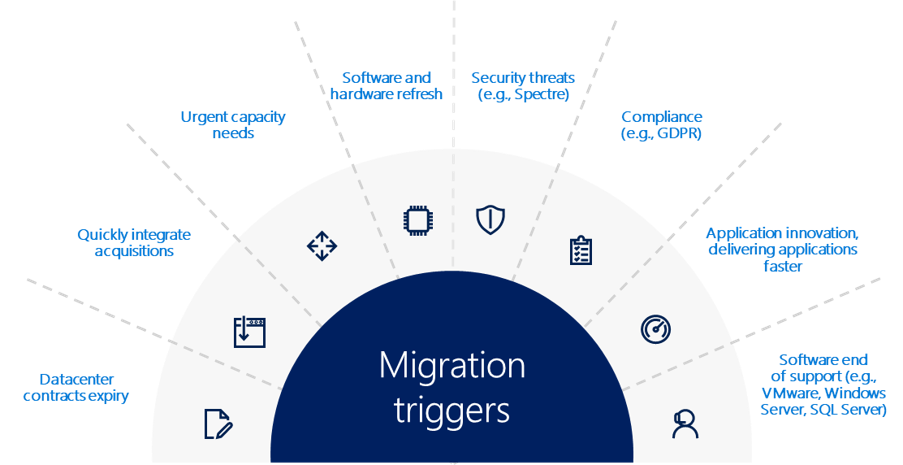
Those are the reasons why customers choose Microsoft, because of the unique value that we provide in a productive, hybrid, intelligent, and trusted cloud.